

Samsung Repair

Samsung washer stopped showing 5C with water still inside? TV with sound but no picture? Samsung appliances display many codes whose meanings are published, and a good share come from a blocked filter, unstable mains power or a door that is not fully shut. Here is what those codes mean, and when a fault really needs a technician.

Agent Site is an independent repair center — not the manufacturer's authorized service or warranty provider.

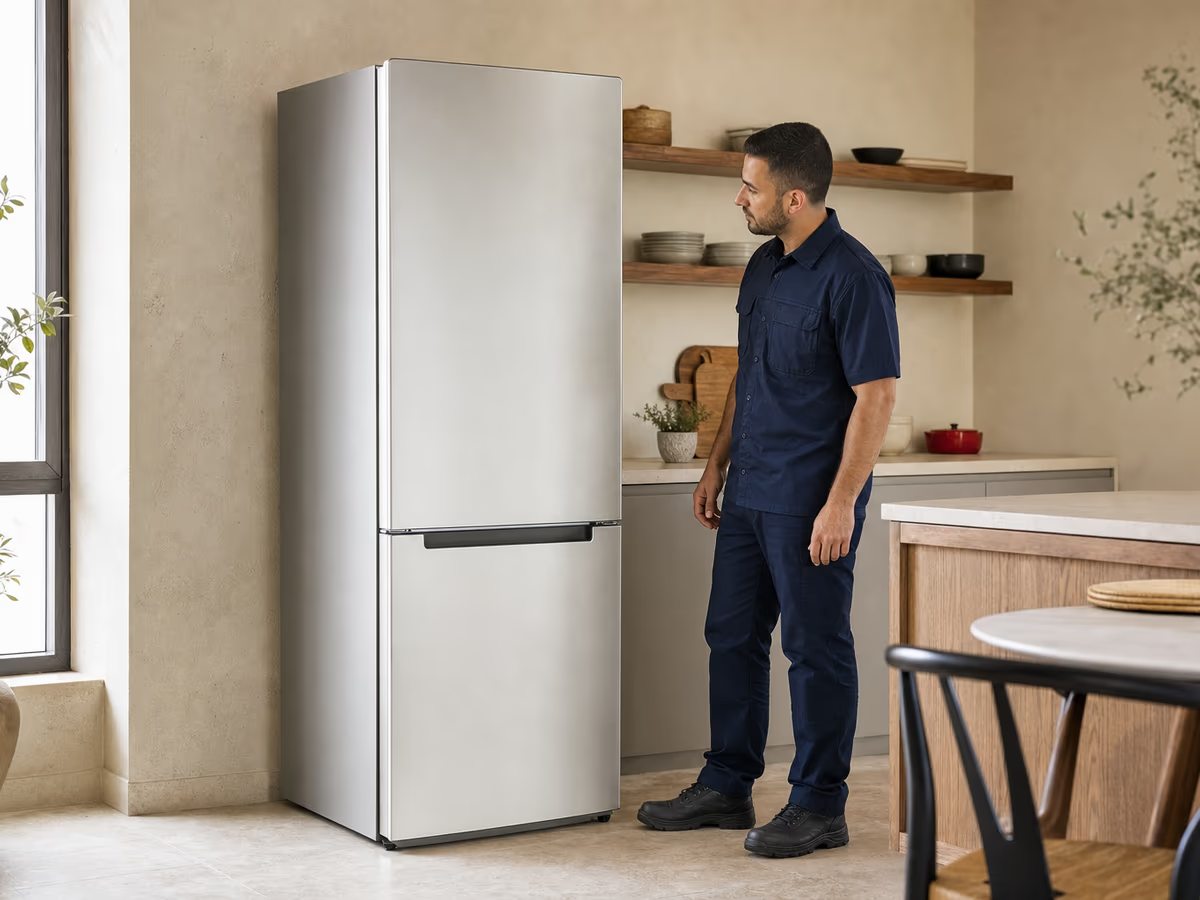
Technician beside household refrigerator — illustrative service photo
Samsung

Diagnosis with measuring tools before any part is changedVisits at the earliest available slot for your area

  • 6-month written warrantyOn the repair and the replaced part, in writing on the invoice.
  • Visits 9 AM–9 PMHotline 16062 answers calls around the clock.
  • Price before workYou get the repair price after the inspection — no work starts without your OK.
  • Parts with invoiceOriginal or compatible replacement parts, depending on the part and model.

Samsung appliances in Egyptian homes

household refrigerator — illustrative photo

Samsung Electronics is a Korean company, and in Egypt it has a factory in Beni Suef that began production in 2013 with TV sets, later adding phones and tablets. In homes here we mostly meet its 7, 9 and 11 kg front-loading washers, its RT top-freezer No Frost fridges, Crystal UHD and QLED TVs, 23 to 40 litre microwaves and canister vacuums.

The model and serial are on a label: inside the front-loader door, at the lower left outside the fridge and on the left wall inside it, and on the back of the microwave and the TV. The first digits after the letters say a lot: WW90 is a 9 kg washer, WW11 an 11 kg one, and UA55 a 55-inch TV. Photograph the label and the code on the display, and note that 5 is easily read as S and 3 as E.

Samsung appliances — faults, error codes and repair

For each appliance: common faults and their causes, error codes where published, what you can safely try, and when you need a technician.

Samsung refrigerators repair

Book a technician

Most Samsung fridges in Egyptian homes are top-freezer No Frost models such as the RT46K6100S8 and RT38K5000S8 with Twin Cooling Plus. The most common complaint is a freezing freezer above a warm fridge, and the cause is usually the fridge fan or its defrost cycle, not the compressor.

Check these things first

Look at the vents inside the fridge where the cold air comes out: if food or boxes are pressed against them, cooling weakens. Close the door and check the seal touches all round, and that the fridge stands a little away from the wall at the back to breathe.

On models with a display, OF OF or O FF means the fridge is in display mode with cooling switched off. The model and serial are on a label at the lower left outside the fridge, and also on the left wall inside.

Never chip ice with a knife or screwdriver: the pipes run close to the freezer surface, and models such as the RT38K5000S8 use R600a, a flammable gas. Any work on the refrigerant circuit is for a technician only.

household refrigerator — illustrative photo
Common fridge faults5

The freezer freezes but the fridge is warm

Moderate

Food in the freezer is frozen, but vegetables and water in the fridge are not cold.

Possible causes

  • Vents inside the fridge blocked by food
  • The fridge fan stopped
  • Ice on the fridge evaporator from a failed defrost
  • The temperature sensor

Solution: Clear the vents, open the door less, and check the temperature setting. If it does not improve within a day, the fan and defrost need checking. Unplugging for a day with the door open only melts the ice for a while.

The light is on but there is no cooling at all

Moderate

The fridge has power but the compressor does not run, or the display shows OF OF.

Possible causes

  • Display mode switched on in models with a display
  • Low mains voltage
  • The inverter board
  • The compressor

Solution: If it shows OF OF, hold the top two buttons together for 5 to 8 seconds until it chimes. With no display, or if the problem continues, the technician measures the voltage and the board before judging the compressor.

Ice building up on the freezer wall

Moderate

A growing layer of ice on the back wall of a No Frost fridge that should not build ice.

Possible causes

  • A door not closing well or a worn seal
  • The defrost heater
  • The defrost sensor

Solution: Make sure the door closes by itself and the seal is not torn. If the ice keeps returning, the defrost cycle has a fault and the technician measures the heater and sensor.

Water under the crisper or on the floor

Easy

Water collecting at the bottom of the fridge under the drawers, or a puddle in front.

Possible causes

  • A blocked defrost-water drain hole
  • The fridge tilting forward
  • The evaporation tray at the back out of place

Solution: Clear the drain hole with warm water and a soft wire, and adjust the feet so the fridge leans slightly back. If water comes from the freezer itself, the drain tube may be frozen.

The fridge runs all the time without stopping

Easy

A low, constant compressor sound, without the on-off cycling of older fridges.

Possible causes

  • Normal for an inverter compressor
  • Frequent door opening or hot food put inside
  • A dusty condenser at the back

Solution: An inverter compressor runs at low speed for long periods instead of switching on and off. It is only a problem if cooling is weak too; then clean the back and book an inspection.

Fridge display codes6

These meanings come from Samsung's US support page, and appear only on models with an outer display. Many RT models in Egypt have their controls inside and show no codes, so check your model's manual.

CodeMeaningCauseSeverity
OF OF / O FFDisplay mode: cooling offNot a fault; hold the top two buttons together for 5 to 8 seconds.Low
21EFreezer fan not turningIce around the fan or the fan itself; check the door seal too.Medium
22E / 22CFridge fan not turningCan follow a door left open; unplug for some hours with the doors open, and if it returns it needs a technician.Medium
5EFridge defrost sensorThe sensor or its connection; needs a technician.Medium
85E / 86ESupply voltage dropped (85E) or a power surge (86E)Unplug for a minute and restart; if it returns, the supply and board need measuring.Medium
83EAbnormal compressor currentUnplug for a minute; if it returns, the compressor and its board need checking.Critical

References: Samsung US support: refrigerator codes

Samsung fridge models in Egypt5

Models on Samsung Egypt's website and at B.TECH. Capacity is the net figure as the retailer or Samsung lists it.

ModelCapacityTechnologies
RT46K6100S8Top freezer, inox454 LTwin Cooling Plus, Digital Inverter, Power Cool / Power Freeze
RT38K5000S8Top freezer, silver383 LTwin Cooling Plus, Digital Inverter, R600a
RT40A3010SATop freezer, silver396 LTwin Cooling, Digital Inverter
RT33DG3000BVTop freezer without inverter340 L
RS66A8100B1Side-by-side, black632 LDigital Inverter
Habits that keep a fridge cooling2

Clean the back of the fridge

Yearly

Dust on the condenser makes the compressor work harder in summer. Unplug it first.

Keep the vents clear

Weekly

Do not pack food against the air vents inside the fridge and freezer.

Questions about Samsung fridges2

After a power cut the display icons flash. Is that a fault?

No, Samsung says this is a normal self-check after power returns. If the icons keep flashing and a code appears, note it down.

Does an inverter fridge need a voltage stabiliser?

The board is the part most affected by voltage swings. If your power cuts in and out often or drops in summer, a stabiliser lowers the risk of damaging it.

Samsung washing machines repair

Book a technician

The washers sold in Egypt are front-loaders with a Digital Inverter motor, such as the 9 kg WW90CGC0EDABAS and the 11 kg WW11B1944DGBAS. The code we see most is 5C, and the cause is usually a pump filter blocked by a coin or lint, not the pump itself.

Before you book a technician for the washer

The code shows with a C or an E depending on the model, and the meaning is the same: 5C equals 5E. Write it down exactly, and note that 5 looks like S and 3 like E on the display. The model is on a label inside the door, on the side that closes against the seal.

The pump filter is behind a small flap at the bottom front, with a thin emergency hose beside it to empty the water before you unscrew the filter. The water inlet mesh sits inside the hose connection at the back. Both can be cleaned without tools.

Unplug the washer before opening the pump filter, and let the water cool if the programme was hot. Put down a shallow tray and towels, because all the water in the drum drains through that opening.

front-loading washing machine — illustrative photo
Common washer faults6

Water left in the drum (5C)

Easy

The washer stops before spinning with water inside, and the door stays locked.

Possible causes

  • A pump filter blocked by coins, buttons or lint
  • A kinked or blocked drain hose
  • A blocked wall drain
  • The drain pump

Solution: Empty the water through the emergency hose, then unscrew and wash the filter. Straighten the drain hose and check the wall pipe takes water. If the filter is clean and the code returns, the pump needs measuring.

The washer does not fill (4C)

Easy

The programme starts with no sound of water coming in, or water trickles in and the code appears.

Possible causes

  • A closed tap or low water pressure
  • An inlet mesh blocked by sand or scale
  • A kinked inlet hose
  • The water inlet valve

Solution: Open the tap fully. Then close it, unplug the washer, undo the hose at the back and clean the mesh. If water runs well from the tap and the code still appears, the valve needs checking.

Shaking on spin, or the washer stops without spinning (UB)

Easy

The washer tries to spin several times and slows down again, or moves across the floor.

Possible causes

  • Laundry bunched on one side
  • A single heavy item such as a blanket or rug
  • An uneven floor or unlevelled feet
  • Transit bolts still fitted on a new washer

Solution: UB is not a fault: untangle and spread the laundry, add two towels to a single heavy item, and level the feet. If it shakes even when empty, the shock absorbers or bearings need checking.

The door will not lock or open (dC)

Moderate

The programme will not start and the code shows, or the cycle has ended but the door stays locked.

Possible causes

  • Clothes caught between the door and the seal
  • Child lock switched on
  • Water still in the drum
  • The electric door lock

Solution: Clear any clothes from the seal, close the door until it clicks, and check the child lock. If water is inside, deal with draining first. If the code stays with an empty drum, the lock needs checking.

Heavy foam and the washer pauses (Sud)

Easy

The code appears mid-wash and the washer waits for the foam to settle, so the programme runs much longer.

Possible causes

  • Too much detergent
  • Detergent made for twin-tubs, not front-loaders
  • Powder build-up in the filter or hose

Solution: Let the washer finish on its own. Afterwards run drum clean, or an empty 90 °C cotton cycle without detergent, clean the pump filter, and use less detergent next time.

The washer stops showing 9C1 or UC

Moderate

The washer stops mid-programme, often at times of heavy load on the grid in summer.

Possible causes

  • Low or fluctuating mains voltage
  • The washer on a power strip or extension with other appliances
  • A loose or overheating plug or socket

Solution: Plug the washer into its own socket without a strip, unplug it for a minute and restart. If the code keeps coming back, the voltage needs measuring when it happens, and a stabiliser protects the board.

Washer error codes12

These meanings come from Samsung's UK support page. The page lists each code in both its C and E forms, with the same meaning. Top-loader codes such as PC are left out because the models sold here are front-loaders.

CodeMeaningCauseSeverity
4C / 4EWater supply problemThe tap, water pressure, the inlet mesh, or a kinked hose.Low
5C / 5EDrainage problemThe pump filter, the drain hose, or the pump.Medium
dC / dEDoor problemThe door not fully shut or clothes caught; if it persists, the lock.Low
UB / UE / UrUnbalanced loadNot a fault. Spread the laundry and make sure the washer stands level.Low
LC / LEWater level droppingA drain hose lower than the washer base siphoning water out, or a leak.Medium
HC / HEWater temperature problemCheck the washer is connected to the cold supply, not the hot one.Low
HE1Water heater faultThe heater or its wiring; needs a technician.Medium
3C / 3EMotor problemUnplug for a minute and restart; if it returns, the motor and its board need measuring.Medium
tC / tETemperature sensorUnplug for a minute and restart; if it returns, the sensor or its connector.Low
9C1 / 9C2 / UCLow or fluctuating supply voltageThe socket, a power strip, or the mains supply itself.Medium
SudExcess foamThe washer deals with it itself; use less detergent.Low
OC / OEOverflowUsually too much detergent; unplug for a minute and restart so it drains.Medium

References: Samsung UK support: washer codes

Samsung washer models in Egypt4

Front-loading models sold by B.TECH and on Samsung Egypt's website. The first digits after WW are the capacity.

ModelCapacityTechnologies
WW11B1944DGBASBespoke AI washer, black11 kgSpin: 1400 RPMAI EcoBubble, Digital Inverter, SmartThings
WW90CGC0EDABASBlack washer with Wi-Fi9 kgSpin: 1400 RPMEcoBubble, AI Energy Mode, Wi-Fi
WW90T534DAN1ASInverter washer, inox9 kg
WW70T4020CX1ASWasher with hygiene steam7 kgSpin: 1200 RPMDigital Inverter, Hygiene Steam, Diamond Drum
Habits that reduce washer faults3

Pump filter and inlet mesh

Monthly

Clean them every month or two, and check pockets before washing; coins are the usual cause of 5C.

Drum clean programme

Monthly

Run it with an empty drum to remove the detergent residue that causes foam and smells.

Leave the door and drawer open

Daily

After the last wash, so the seal and drawer dry and do not go mouldy.

Questions about Samsung washers2

My washer shows 5C. What should I do?

It means the water is not draining. Empty it through the emergency hose, clean the pump filter and check the drain hose is not kinked. If the code returns with a clean filter, the pump needs checking.

UB shows on almost every wash. Is that a fault?

Usually not. Check the transit bolts were removed if the washer is new, the feet are firm and the floor level, and avoid washing one heavy item alone. If the drum knocks when empty, the shock absorbers need inspecting.

Samsung TVs repair

Book a technician

Samsung TVs in Egypt are mostly Crystal UHD sets with a built-in receiver, such as the UA55U8000H and UA43DU8000, alongside QLED and Neo QLED models such as the QA55QN90F. The most common fault is sound with a black picture, which is usually the backlight rather than the panel, and that difference matters a lot for the cost.

Try this before you take the TV down

Unplug the TV for 30 seconds and plug it into a working socket without a power strip. Press the power button on the TV itself, not the remote. If the remote is the problem, change the batteries and hold Return and Play/Pause together for 3 seconds to pair it again.

TVs from 2022 onwards have self diagnosis in Settings: Support, then Self Diagnosis, with picture, sound and HDMI signal tests. The model and serial are on a label on the back, and also appear in the settings menu.

Do not open the back of the TV: the power board inside stays charged after unplugging. Large TVs are lifted by two people from the sides, without pressing on the panel.

television — illustrative photo
Common TV faults5

Sound works but the screen is black

Moderate

You hear the channel or app clearly, but there is no picture at all.

Possible causes

  • The wrong source, or brightness turned right down
  • Energy-saving mode
  • The LED backlight strips
  • The power board or T-Con board

Solution: Change the input with Source, and check brightness and energy saving. Then in a dark room shine a phone torch close to the screen: if you can see a faint picture, the backlight is at fault, and that is repaired without replacing the panel.

The red standby light flashes and the TV will not turn on

Needs a technician

The light under the screen keeps blinking, with no picture or sound.

Possible causes

  • The power board
  • The main board
  • A short in the backlight that trips the power board

Solution: Unplug for 30 seconds and try another socket. If the light still flashes, Samsung treats it as a hardware fault needing inspection, so do not keep plugging it in and out.

The light stays on but the TV will not turn on

Easy

The red light is steady, and the remote does nothing.

Possible causes

  • Remote batteries, or the remote not paired
  • The remote sensor on the TV
  • The power board

Solution: Turn it on with the TV's own button. If it starts, the remote is the problem: replace the batteries and pair it again. If the button does not work either, the fault is inside the TV.

Apps freeze or Smart Hub will not open

Easy

YouTube or Netflix close by themselves, or the menus are very slow.

Possible causes

  • A weak connection or the router
  • TV software needing an update
  • Corrupted Smart Hub data

Solution: Test the connection on another device and update the TV software. If it continues, run Reset Smart Hub from Self Diagnosis; the default PIN is 0000, and this step deletes apps and accounts.

Fixed lines or patches on the picture

Needs a technician

Vertical or horizontal lines, or a dark area, that stay put even in the menus.

Possible causes

  • The panel cable or T-Con board
  • A knock or pressure on the panel
  • A fault in the panel itself

Solution: Run the picture test from Self Diagnosis: if the lines show in the test, the fault is in the TV, not the receiver or cable. The technician determines whether it is a board or the panel, because a panel can cost close to a new TV.

Samsung TV Fault Guide (Neo QLED, QLED, The Frame, OLED)6

Samsung TV Repair — Neo QLED, QLED & Smart TV Fault Guide

Samsung TV black screen? Sound without picture? Lines on screen? Complete guide to every Samsung TV fault (Neo QLED, QLED, The Frame, Smart TV) with causes, solutions, and prices. Call 16062.

Samsung TVs diagnose faults in several ways: (1) direct messages on screen, (2) red/blue Standby LED blinks, (3) hidden technician blink patterns. Here is a guide for every common Samsung TV fault in Neo QLED and QLED with causes, solutions, and prices.

⚠️ Important: Samsung Neo QLED 65 and 75 inch TVs are very expensive. Do not DIY! An unspecialized technician may destroy a Mini-LED Driver board worthالسعر بعد الكشف. Call Samsung TV service 16062.

Cannot Power On TV Won't Turn On

High

Aliases: No Power • LED Off

Symptoms you'll see

  • الضغط على Power لا يستجيب
  • لمبة Standby الحمراء/الزرقاء مطفية
  • صوت كهرباء طبيعي عند الكابل

Possible causes

  • فشل لوحة Power Supply (PSU) - الأكثر شيوعاً
  • احتراق مكثفات (Capacitors) على لوحة Power
  • كابل التيار تالف أو غير موصل
  • فيوز محترق على لوحة الباور

Try yourself first

  • افصل الشاشة من الكهرباء 30 دقيقة
  • تأكد إن الكابل موصل في الشاشة وفي المقبس
  • جرّب مقبس آخر
  • افحص الريموت بكاميرا الموبايل (الـ IR Light شغّال؟)

Professional solution: استبدال لوحة Power Supply أو استبدال المكثفات التالفة (إصلاح اقتصادي لو فني خبير).

Cost: Price after inspection

No Picture / Sound Only Sound but No Picture

High

Aliases: Black Screen with Sound

Symptoms you'll see

  • تسمع الصوت طبيعي
  • الشاشة سوداء تماماً
  • لمبة Power شغالة

Possible causes

  • فشل لوحة T-CON (الأكثر شيوعاً)
  • فشل LED Backlight (الإضاءة الخلفية)
  • كابل LVDS بين Mainboard و T-CON مفصول
  • فشل لوحة Mini-LED Driver (في Neo QLED)

Try yourself first

  • في غرفة مظلمة، شغّل الشاشة وقرّب لها بمصباح
  • لو شفت صورة باهتة جداً = الـ Backlight تالف
  • لو الشاشة سوداء تماماً = T-CON غالباً

Professional solution: استبدال لوحة T-CON أو LED Backlight Strip حسب التشخيص.

Cost: Price after inspection

Cannot Connect to Network Network Connection Failed

Low

Aliases: Wi-Fi Failed • Network Error

Symptoms you'll see

  • الشاشة لا تتصل بالواي فاي
  • تطبيقات Netflix/YouTube لا تشتغل
  • كود اتصال يظهر في الإعدادات

Possible causes

  • مشكلة في الراوتر
  • كلمة سر واي فاي خاطئة
  • فشل وحدة Wi-Fi/Bluetooth الداخلية
  • خطأ في Tizen OS

Try yourself first

  • أعد تشغيل الراوتر
  • في الإعدادات: Network > Reset
  • جرّب الاتصال بكابل LAN
  • حدّث Tizen OS عبر USB

Professional solution: تحديث Tizen OS أو استبدال وحدة الواي فاي الداخلية.

Cost: Price after inspection

QLED Burn-in / Lines Screen Lines or Dark Spots

High

Aliases: Dead Pixels • Vertical Lines

Symptoms you'll see

  • خطوط رأسية أو أفقية
  • بقع داكنة في مناطق محددة
  • نقاط ميتة (Dead Pixels)
  • تشوه ألوان في زاوية

Possible causes

  • فشل لوحة عرض QLED Quantum Dot
  • فشل مناطق Local Dimming في Neo QLED
  • تلف لوحة Mini-LED Driver
  • صدمة فيزيائية للوحة (نادر)

Try yourself first

  • شغّل اختبار الشاشة من الإعدادات (Self Diagnosis)
  • حدّد لو المشكلة في كل الألوان أم في لون معين

Professional solution: استبدال Mini-LED Driver Board (الأقل تكلفة). لو لوحة العرض نفسها، التكلفة عالية جداً.

Cost: Price after inspection

Tizen OS Crash Tizen OS Frozen

Medium

Aliases: Smart Hub Frozen

Symptoms you'll see

  • الواجهة بطيئة جداً أو معلّقة
  • التطبيقات لا تفتح
  • الريموت بيستجيب لكن النظام مش بيتحرك

Possible causes

  • تحديث Tizen OS فاشل
  • ذاكرة النظام ممتلئة
  • تطبيق فيه مشكلة
  • فشل معالج Quantum Processor (نادر)

Try yourself first

  • افصل الشاشة 5 دقائق
  • في الإعدادات: General > Reset
  • احذف التطبيقات اللي ما تستخدمهاش
  • حدّث Tizen OS من الإعدادات

Professional solution: Factory Reset كامل. لو المشكلة استمرت، إعادة تحديث Tizen OS عبر USB أو استبدال Mainboard.

Cost: Price after inspection

5 Blinks Standby LED 5 Blinks Pattern

Medium

Aliases: LED Blinks Pattern

Symptoms you'll see

  • الشاشة لا تشتغل
  • لمبة Standby بتومض بنمط معين

Possible causes

  • 5 ومضات: فشل Power Supply (الأكثر شيوعاً)
  • الومضات بتشير لجزء معين معطل

Try yourself first

  • عدّ الومضات بدقة
  • Unplug power 30 دقيقة وأعد التشغيل

Professional solution: استبدال الجزء المحدد بنمط الومضات (غالباً Power Supply).

Cost: Price after inspection

Tips to avoid these codes

  • ركّب مثبت تيار قبل الشاشة (يحمي Power Supply)
  • لا تترك الشاشة على نفس الصورة الثابتة ساعات (تجنب Burn-in في الموديلات القديمة)
  • نظف الشاشة بقماشة ميكروفايبر جافة فقط
  • لا تستخدم الكحول أو منظفات الزجاج
  • حدّث Tizen OS كل 3 شهور
  • تأكد من تهوية مناسبة خلف الشاشة (لا تلصقها بالحائط مباشرة)
  • افصل الشاشة من الكهرباء في العواصف الرعدية

Questions about these codes

My Samsung Neo QLED 65" has no picture - serious fault?

If sound works but screen is black, likely T-CON Board or Mini-LED Driver issue. Good news: replacement is price after inspection — much cheaper than buying a new TV (price after inspection+). Call Samsung TV service at 16062.

My Samsung TV has vertical lines - can it be repaired?

في معظم الحالات نعم، السبب فشل لوحة Mini-LED Driver أو T-CON (السعر بعد الكشفنيه استبدال). لو لوحة العرض نفسها (Display Panel) تالفة، التكلفة عالية جداً. الفني عندنا يفحص بدقة قبل تحديد التكلفة.

Are Samsung TV codes unified across models?

Symptoms are unified but diagnosis methods differ. Neo QLED 2022+ has advanced Self Diagnosis in settings. Older models rely on Standby LED blinks. All faults above apply to Neo QLED, QLED, The Frame, and Smart TV.

Do you service Samsung The Frame TVs?

Yes, we service all Samsung TV models: Neo QLED 4K/8K, QLED, The Frame, Smart TV, OLED S95C. Our expertise in The Frame is special — its wall mount with hidden cable needs a specialist.

Samsung TV models in Egypt5

Models sold at B.TECH, 2B and Carrefour Egypt. The number after the first letters is the size in inches.

ModelCapacityTechnologies
UA55U8000HCrystal UHD with built-in receiver55 in4K, Tizen
UA43DU8000Crystal UHD, receiver built in43 in
UA55AU8000Crystal UHD55 in
QA43Q7FAAQLED with built-in receiver43 in
QA55QN90FNeo QLED55 in
Habits that protect the TV2

A sound socket and a stabiliser

Power that cuts and returns quickly wears the power board; unplug the TV when cuts are frequent.

Wipe the screen with a dry cloth

Weekly

Without spraying directly on the screen and without pressing on the panel.

Questions about Samsung TVs2

How can I tell whether it is the backlight or the panel?

If the sound works and you can see a faint picture with a phone torch in the dark, the panel works and the problem is the backlight. If there is no image even with the torch, the check starts with the boards.

What does Reset Smart Hub erase?

It returns Smart Hub to factory state and deletes downloaded apps and accounts, so have your account passwords ready first.

Samsung microwaves repair

Book a technician

Samsung microwaves in Egypt run from the 23 litre solo MS23K3614AW to 32 and 40 litre grill models such as the MG32DG4524AGGY and MG40DG5524ATSG. The most common complaint is a turning plate and a lit lamp with food coming out cold, a fault in the high-voltage circuit that needs a technician.

Microwave safety

What you can do yourself is outside only: the plug and socket, the plate and the roller ring under it, cleaning the inside, and the buttons. If the display shows a code, photograph it. The model and serial are on a label on the back of the microwave.

Never run the microwave empty, or with metal or a plate with a gold rim. If the door does not close properly or a hinge is broken, stop using it until it is repaired.

Never remove the microwave's casing. The capacitor inside holds a lethal high-voltage charge even after unplugging, and only a technician should handle it after discharging it.

microwave oven — illustrative photo
Common microwave faults5

It runs but the food comes out cold

Needs a technician

The lamp is on, the plate turns and the timer counts down, but the food does not heat.

Possible causes

  • The magnetron
  • The high-voltage diode or capacitor
  • The high-voltage transformer
  • A worn door switch

Solution: Heat a cup of water for a minute on full power to confirm. If the water stays cold, it is a high-voltage fault, and only a technician should touch it.

The turntable does not turn

Easy

The microwave heats but the plate stays still, so food heats on one side.

Possible causes

  • The plate or roller ring not seated
  • Food residue under the ring
  • A broken centre coupler
  • The turntable motor

Solution: Take out the plate and ring, wash them, clean the track, and seat the plate correctly on the centre coupler. If it still does not turn, the turntable motor is replaced and is not costly.

Sparks or crackling inside

Moderate

Flashes or popping while heating, sometimes with a burning smell.

Possible causes

  • Metal or a plate with a gold rim
  • Burnt food residue on the walls
  • A burnt or dirty waveguide (mica) cover inside
  • Peeling interior coating

Solution: Stop at once and unplug. Remove any metal and clean the inside well. If sparks come from the side cover or the coating is peeling, the cover is replaced before the magnetron is damaged.

Buttons do not respond, or SE on the display

Easy

The microwave beeps or shows SE or C-d0, and pressing any button does nothing.

Possible causes

  • A key held down for more than 10 seconds
  • Grease or moisture on the touch panel
  • Child lock
  • The keypad

Solution: Unplug it, wipe the panel with a barely damp cloth, wait a little and restart. If the code returns, the keypad or its cable needs replacing.

The microwave is completely dead

Needs a technician

No display, no lamp, no sound at all.

Possible causes

  • The socket or plug
  • A fuse inside the microwave
  • A door switch that blew the fuse

Solution: Try another appliance in the same socket. If the socket is fine, the fuse inside has gone, and a blown fuse usually has a door switch or other fault behind it that must be found before replacing it.

Microwave codes6

These meanings come from Samsung's UAE support page. Depending on the model, codes show as C-, E- or SE, and the damper code only appears on grill or convection models.

CodeMeaningCauseSeverity
C-d0 / SEA key pressed for more than 10 secondsUnplug and clean the key; if it persists, the keypad.Low
C-F2 / -tE-Abnormal touch-key communicationPress Stop and try again; if it returns, the panel or its cable.Low
C-21 / E-24High temperature or fire sensed insideUnplug it and keep the door shut until it cools, check the vents are clear, then restart. If a fire does not go out, call the fire service on 180; if the code returns, stop using it and book an inspection.Medium
C-20 / E-21 / E-22Temperature sensor open or shortedThe sensor or its wiring; unplug and book an inspection.Medium
C-A1 / E-A1The damper fails to open or closeOn grill and convection models; needs a technician.Medium
C-F0 / E-83No communication between the main and sub boardsThe boards or the cable between them; unplug and book an inspection.Medium

References: Samsung UAE support: microwave codes

Samsung microwave models in Egypt3

Models sold at B.TECH and XPRS. MS at the start of the code is solo, MG has a grill.

ModelCapacityTechnologies
MS23K3614AWDigital solo, white23 L
MG32DG4524AGGYGrill, black32 LGrill, Auto cook
MG40DG5524ATSGGrill, black silver40 LGrill, Ceramic interior
Habits that extend a microwave's life2

Wipe the inside after spills

Weekly

Grease that burns onto the walls and the side cover is the first cause of sparking.

Leave space around the microwave

Do not stack things on top or push it against the wall; blocked vents trigger the high-temperature code.

Questions about Samsung microwaves2

The microwave shows SE and will not work. What should I do?

SE or C-d0 means a key stayed pressed for a long time. Unplug, wipe the panel and plug it back in. If it reappears without anyone touching it, the keypad is the cause.

Is replacing the magnetron worth it?

On larger grill models it is usually worth it. On an old 23 litre solo, the technician gives you the cost so you can compare with a new one before work starts.

Samsung air conditioners repair

Book a technician

If you have a Samsung split AC, installed years ago or brought from abroad, the thing most likely to worry you is a code on the display, and many of those codes are reminders rather than faults.

Before you book a technician for the AC

Wash the indoor unit's filters, make sure the mode is Cool, and look at the outdoor unit: is its fan turning and the space around it open? The model and serial are on a label on the right side of the indoor unit, and on the outer right side of the outdoor unit.

On some models the code shows as C1 or E1 alternating on the display with a number such as 21 or 54. The first letter varies by model, so note both the letter and the number.

If the unit trips the breaker or smells of burning, switch off the breaker and do not run it. Do not open the outdoor unit: its capacitors stay charged, and refrigerant is a technician's job.

split air conditioner — illustrative photo
Common AC faults4

CF appears on the display

Easy

The unit runs normally and the display shows CF.

Possible causes

  • A filter cleaning reminder

Solution: Clean or replace the filters, then clear the reminder with the remote. It is not a fault.

The unit runs but does not cool

Moderate

Air comes out but is not cold, or the room never reaches the set temperature.

Possible causes

  • Clogged filters
  • A dirty or boxed-in outdoor unit
  • Low voltage at peak hours
  • Low refrigerant from a leak

Solution: Clean the filters and clear the area round the outdoor unit. If it still does not cool, the technician measures voltage and pressure, and low refrigerant means a leak to repair before recharging.

Water dripping from the indoor unit

Easy

Drips on the wall or floor under the unit while it runs.

Possible causes

  • A blocked drain hose, or one that does not run downhill
  • A dirty filter letting the evaporator ice and then melt

Solution: Clean the filter and follow the drain hose to its end. If the tray inside is blocked, it is cleared during a unit service.

Code C1 or E1 with a number

Moderate

The display alternates C1 or E1 with a number such as 21, 22, 54 or 63, and the unit stops.

Possible causes

  • The room or coil temperature sensor
  • The indoor fan not turning
  • Board memory data

Solution: Switch off the breaker for two minutes and restart. If the code returns, Samsung says these codes need a technician, so note the number before you call.

AC codes9

These meanings come from Samsung's support pages in the UAE, the Philippines and Myanmar. Samsung says the first letter varies by model, so you may see C1 or E1, and the number alternating with it identifies the fault.

CodeMeaningCauseSeverity
CFFilter cleaning reminderClean the filters and clear the reminder with the remote.Low
CIAuto clean is runningNot a fault; it shows after you switch the AC off, and it can be turned off with the remote.Low
dFAuto defrost during heatingNot a fault; it protects the outdoor unit in heat mode.Low
C1 / E1 + 21Faulty room temperature sensorThe room sensor or its plug on the board; a technician job.Medium
C1 / E1 + 22Faulty heat exchanger temperature sensorThe coil sensor or its wire; a technician measures it.Medium
C1 / E1 + 54Indoor fan not turningThe fan motor or its capacitor; needs a technician.Medium
C1 / E1 + 63Board memory (EEPROM) data incorrect or erasedThe main board; needs a technician.Critical
E5Indoor heat exchanger sensor open or shortedThe sensor is checked and replaced.Medium
E6Outdoor heat exchanger sensorThe outdoor sensor is checked and replaced.Medium

References: Samsung UAE support: indoor unit codes · Samsung Philippines support: AC codes · Samsung Myanmar support: codes E5, E6 and E7

Habits that keep an AC healthy2

Wash the filters

Every two weeks in summer, in lukewarm water, and let them dry in the shade.

Clean both units before the heat

Yearly

The evaporator inside and the condenser outside, along with the drain hose.

Questions about Samsung air conditioners1

Are Samsung AC spare parts available in Egypt?

General parts such as capacitors, sensors and motors have compatible replacements. The electronic board depends on the exact model, so send a photo of the label before the inspection so we can check whether the part is available.

Samsung dryers repair

Book a technician

The most common complaint with Samsung dryers is clothes coming out damp, and most of the time a lint filter or heat exchanger needs cleaning.

Before you book a technician for the dryer

Take out the lint filter in the door opening and clean it after every load. On condenser and heat pump dryers, empty the water tank after each cycle, and clean the heat exchanger when the display asks. The model is on a label inside the door or on the back of the dryer.

The code shows with a C or an E depending on the model, such as 5C and 5E. Remember the dryer needs a ventilated space, and clothes stained with oil or petrol must not go in it.

tumble dryer — illustrative photo
Common dryer faults3

Clothes come out damp

Easy

The cycle ends on time or runs long, and the clothes are still damp.

Possible causes

  • A blocked lint filter
  • Lint on the heat exchanger
  • An overload, or clothes not spun well
  • The humidity or temperature sensor

Solution: Clean the lint filter and exchanger, reduce the load, and spin clothes at the highest speed in the washer. If it continues with everything clean, the sensors need measuring.

The dryer stopped showing 5C

Easy

The dryer stops mid-cycle with a full water tank or water not draining.

Possible causes

  • A full water tank
  • A kinked drain hose if plumbed in
  • The water pump

Solution: Empty the tank and push it fully home, and straighten the drain hose if plumbed in. If the tank is empty and the code returns, the pump needs checking.

Overheating, or code HC

Moderate

The dryer stops with a hot body, or the code appears mid-cycle.

Possible causes

  • A blocked lint filter or exchanger
  • The dryer in an enclosed space without ventilation
  • The compressor or its wiring on heat pump models

Solution: Clean the filter and exchanger, leave space around the dryer, and check the breaker. If the code returns, the technician checks the compressor and wiring.

Dryer codes8

The source is Samsung's UK help page. The same code shows with a C or an E depending on the dryer's generation.

CodeMeaningCauseSeverity
dC / dEOperating with the door openClose the door, check nothing is caught, and check the child lock.Low
NC / NC1Check the filterThe lint filter not fitted properly or blocked.Low
5C / 5EDrain problem or full water tankEmpty the tank and check the drain hose.Low
tC / tEAir temperature sensorClean the filter and exchanger; if it returns, the sensor.Medium
tC5 / tE5Compressor temperature sensorWait two minutes, power-cycle it; if it returns, it needs a technician.Medium
HC / HECompressor overheatingThe filter, the ventilation, or the compressor wiring.Medium
FIL + tErHeat exchanger needs cleaningClean the exchanger as the manual describes.Low
9C1 / 9C2Electronic control needs checkingCheck the power supply and plug first.Medium

References: Samsung UK support: dryer codes

Habits that keep a dryer working2

Lint filter after every load

Daily

A blocked filter lengthens the cycle and heats the compressor.

The heat exchanger

Monthly

Clean it regularly on condenser and heat pump models, or when the display asks.

Samsung dishwashers repair

Book a technician

Some homes in Egypt have Samsung dishwashers bought abroad. The code that appears most is 5C, and it usually comes from the base filter, not the pump.

Start with the filter and the code

Take out the lower basket, twist the cylindrical filter out of the base and rinse it under the tap. Then spin the spray arms by hand to make sure no dish blocks them. The model is on a label on the side or inner edge of the door.

Depending on the model, a code ends in C or in E, such as 5C and 5E, with the same meaning. Use dishwasher tablets or powder only; ordinary washing-up liquid makes foam that triggers a code.

dishwasher — illustrative photo
Common dishwasher faults4

Water left in the base (5C)

Easy

The machine waits for the water level to fall, sees no change, and stops with the code.

Possible causes

  • A blocked base filter
  • A kinked drain hose
  • Bones, labels or glass at the pump
  • The drain pump

Solution: Clean the filter, straighten the hose, and look in the sump under the filter for anything stuck. If the pump does not run at all (5C2), the technician checks it.

Not filling (4C)

Easy

The cycle starts with a short drain, then little or no water enters and the tub stays dry.

Possible causes

  • A closed tap
  • A kinked inlet hose or blocked mesh
  • The inlet valve

Solution: Open the tap, make sure the house has water at good pressure, and straighten the hose. If all is fine and the code stays, the valve needs measuring.

Leak or water under the machine (LC)

Moderate

The machine stops and keeps draining, and there may be water on the floor.

Possible causes

  • Foam from the wrong detergent
  • A dirty door seal or debris on it
  • An internal leak from a hose or joint

Solution: Turn off the tap and the power. Clean the seal and check the detergent used. If the code returns once the base is dry, the leak is inside and needs a technician.

Dishes come out wet, or the cycle stops while drying (HC)

Moderate

Washing finishes but drying stops, or the inside is very hot and steamy.

Possible causes

  • A covered outer vent
  • Tall plastics pressed against the inner vent
  • Supply water that is too hot
  • The drying fan or the heater

Solution: Keep the vent clear and do not load plastics against it, then unplug for 5 minutes and try a normal cycle. If the code returns, the fan and heater need checking.

Dishwasher codes8

These meanings come from Samsung's UK support page, which lists each code in both its C and E forms. Check your model's manual if the code is not here.

CodeMeaningCauseSeverity
4C / 4ELittle or no fresh water enteringThe tap, the pressure, or the inlet hose.Low
5C / 5EWater level not dropping when drainingThe filter, the drain hose, or the pump.Medium
LC / LELeak: water in the baseFoam, the door seal, or an internal leak.Critical
OCOverfill or excessive foamThe detergent, the filter, or a kinked drain hose.Medium
HC / HEExcessive heat insideUnplug for 5 minutes and run an empty normal cycle with detergent.Medium
PC / PEWill not start with Zone Wash or Half LoadDeselect that option and run a normal cycle.Low
tC / tETemperature sensor faultThe machine will not start or stops shortly after starting. Cut the power for 5 minutes and try a normal cycle; if it returns, the sensor needs a technician.Low
9C1 / UCAbnormal supply voltageTry it on its own socket without a power strip.Medium

References: Samsung UK support: dishwasher codes

Habits that keep a dishwasher working2

The base filter

Weekly

Rinse it every week, and scrape bones and large scraps off before loading.

Salt and rinse aid

Monthly

Salt protects the heater from scale, especially with hard water.

Samsung vacuum cleaners repair

Book a technician

The vacuums sold in Egypt are corded canisters of 1800 and 2000 W, such as the bagged VC20M2510WB and the bagless VCC4570S3K. The most common complaint is weak suction, usually from a full bag, a clogged filter or something stuck in the hose rather than the motor.

Before you blame the motor

Unplug the vacuum, empty the bag or bin, and take out the filters to look at them: the motor filter inside and the exhaust or HEPA filter. Then detach the hose and look through it against the light, and check the brush is not full of hair.

The model and serial are on a sticker under the vacuum. A washable filter must dry completely before refitting, because moisture reaches the motor; for Jet sticks Samsung advises at least 24 hours.

vacuum cleaner — illustrative photo
Common vacuum faults4

Weak suction

Easy

The vacuum sounds normal but does not pick up dust, or suction drops after a few minutes.

Possible causes

  • A full bag or bin
  • A clogged motor or HEPA filter
  • Something stuck in the hose or tube
  • A split hose

Solution: Change the bag or empty the bin, tap out or wash the washable filters, and clear the hose gently with a stick. If suction stays weak with clean filters, the motor or seals are checked.

Stops by itself after a while, or a hot smell

Moderate

The vacuum cuts out mid-use and restarts once it cools, or a hot smell comes from the exhaust.

Possible causes

  • A blockage that overheats the motor
  • Clogged filters
  • Worn motor carbon brushes
  • The motor itself

Solution: Unplug it, let it cool, clean the filters and clear any blockage. A real burning smell or sparks from the vents mean stop using it until it is inspected.

The cord will not rewind

Easy

You press the rewind button and the cord does not go back, or only goes halfway.

Possible causes

  • A twisted cord
  • The cord reel spring

Solution: Pull the cord out fully and untwist it, then press the button while guiding the cord. If the reel does not pull at all, the spring is replaced.

Jet stick: red icons and the vacuum stops

Easy

On a cordless Jet stick, the display shows a clog, a stuck brush or a missing filter icon, and if all three turn red the vacuum stops.

Possible causes

  • A blocked bin, tube or nozzle
  • Hair or thread wrapped round the brush
  • The washable filter not fitted or missing

Solution: Empty the bin, wash the filter and metal mesh and let them dry, cut hair off the brush, and refit the filter until it locks. If the icons stay with everything clean, the sensors or battery need checking.

Samsung vacuum models in Egypt3

Canister vacuums sold at B.TECH, on Samsung Egypt's website and at XPRS.

ModelCapacityTechnologies
VC20M2510WBBagged canister, blue2000 WAnti-tangle hose, Eco mode
VCC4570S3KBagless canister, black2000 W / 1.3 L binHEPA filter, Telescopic tube
VCC4540S36Bagless canister1800 W
Habits that keep suction strong2

Empty the bin or change the bag early

Weekly

Do not wait until it is completely full; suction drops well before that.

The filters

Monthly

Tap them out monthly, and wash the washable ones and let them dry for a full day.

Questions about Samsung vacuums1

Can I run the vacuum without a filter until I buy one?

No. Fine dust goes straight into the motor and shortens its life, and Jet sticks will not run at all without the filter.

Samsung technologies and how they affect faults

These technologies are listed on the pages of models sold in Egypt, and not every model has them. Check yours on the label or the model page.

  • Digital Inverter: washer motor and fridge compressor

    Washers such as WW11B1944DGBAS and WW70T4020CX1AS, and fridges such as RT46K6100S8

    In the washer it is a magnet motor without carbon brushes, and in the fridge a compressor that changes speed across 7 levels with the load. Both are driven by an electronic board.

    Common faults

    The motor and compressor themselves rarely fail. The board is what suffers from voltage swings, so codes like 3C on a washer or weak cooling on a fridge are checked at the supply and the board first.

  • EcoBubble and AI EcoBubble

    Washers such as WW90CGC0EDABAS and WW11B1944DGBAS

    The detergent is turned into foam before it reaches the clothes, so it cleans well in cold or lukewarm water.

    Common faults

    Too much detergent, or detergent meant for twin-tubs, makes heavy foam, and the washer shows Sud and pauses to clear it. Use less, and front-loader detergent, before suspecting a fault.

  • Twin Cooling Plus

    RT fridges such as RT46K6100S8 and RT38K5000S8

    The fridge and freezer each have separate cooling, so the fridge stays more humid and odours do not pass to the freezer.

    Common faults

    Because each section has its own air circuit, the freezer can be fine while the fridge is warm. That points the check to that section's fan or defrost cycle, not the compressor.

  • SmartThings Home Care

    Wi-Fi washers such as WW90CGC0EDABAS

    The SmartThings app sends an alert when a part needs replacing, and gives troubleshooting steps and software updates.

    Common faults

    If the washer is linked to the app, open Home Care and read the alert and the steps it suggests first. Screenshot that page and send it with the code; it saves a lot of guesswork.

The repair, step by step

Call 16062
  1. A photo of the label and the code

    Send a photo of the model label, the code exactly as shown, and when the appliance stops or what it does.

  2. Checks from simple to complex

    The technician looks at the filter, hoses and supply voltage, then measures the sensors and the board.

  3. The figure before any work

    You hear the cause, the part needed and the full cost, and you decide whether to go ahead.

  4. A full test run and a warranty on paper

    The appliance completes a cycle in front of you after the repair, and the warranty on the work and the part is put in writing.

Questions about Samsung repairs

Is Agent Site Samsung's customer service?
No. We are an independent repair centre that services Samsung and other brands, and we are not part of Samsung or its warranty service. If the appliance is still under warranty, contact Samsung first.
My washer shows 4E, but online I found 4C. Which is right?
Both are. Depending on the model the code shows with E or C, and the number identifies the problem. 4E and 4C mean the same, as do 5E and 5C.
Do you repair Samsung appliances bought outside Egypt?
Yes, we inspect them like any other appliance, and the repair depends on the part being available. Send a photo of the label first: the model on it tells us whether the part is available here, and the label also shows the voltage. An appliance built for 110 or 120 V, like US models, must not be plugged into 220 V without a transformer, or the board may burn out.

Samsung repair in Cairo, Giza and the governorates

Our Samsung repair visits cover the governorates below. Book on 16062 — technician visits daily from 9 am to 9 pm, and we book at the earliest available slot for your area.

  • Cairo
  • Giza
  • Qalyubia
  • Alexandria
  • Matrouh (North Coast)
  • Sharqia
  • Gharbia
  • Dakahlia

Your area is not listed? Call us and we will confirm coverage before booking.

Related appliance categories

Samsung is one of 107 brands we repair — the category pages cover faults and fixes for every brand.

Samsung appliance showing a code or stopped working?

Send us the appliance type, a photo of the label and the code or symptom, and we will agree an inspection time with you.